Content calendar
Every client in one month
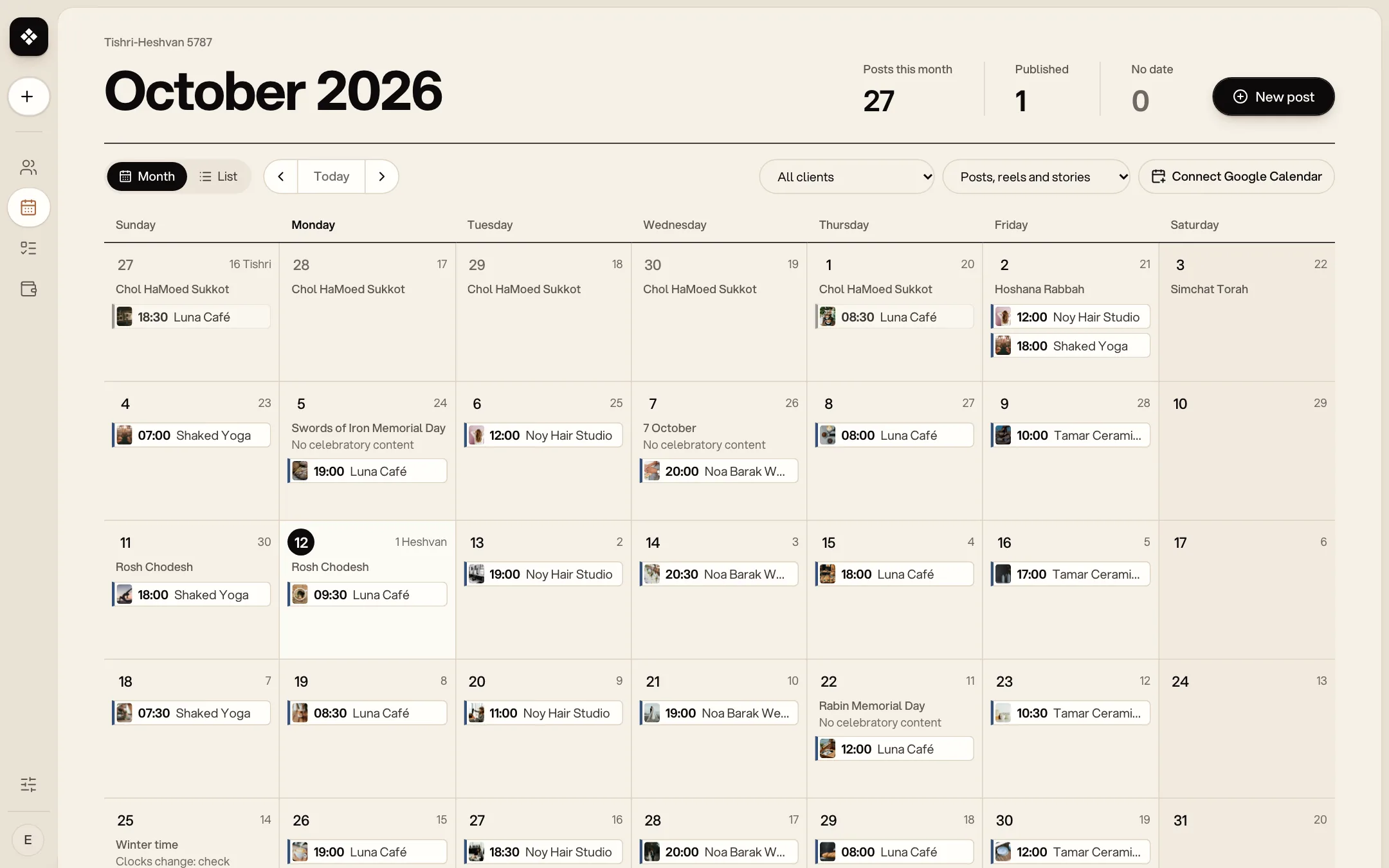
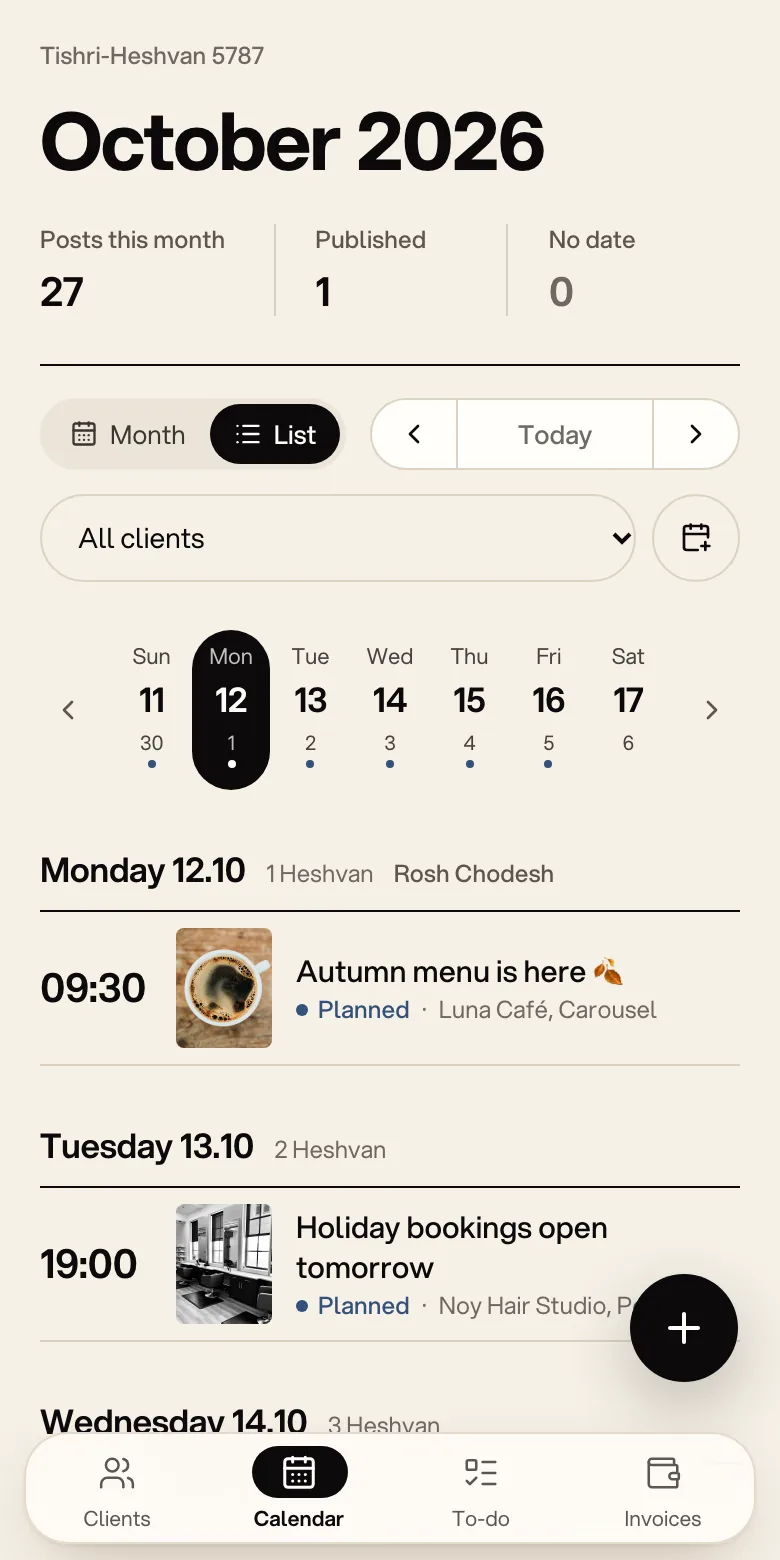
The whole month in one place
Month, list or a single day
On a computer, switch between the month and a list, or open a day to see it hour by hour. On a phone, the week sits at the top with the day's posts under it.
Move a post with a drag
On a computer, drag a post to another day, onto an hour, or back to the posts without a date. Every move can be undone, and a published post stays on its day.
Holidays and Hebrew dates
Each day shows its Hebrew date. Holidays, new months, memorial days, clock changes and dates like Black Friday are marked, and memorial days carry a reminder to keep celebrations off the feed.
Draft, planned, published
A post without a date is a draft, a post with a date is planned, and once it is up you mark it published. On a wide screen, a panel beside the month counts each one.